
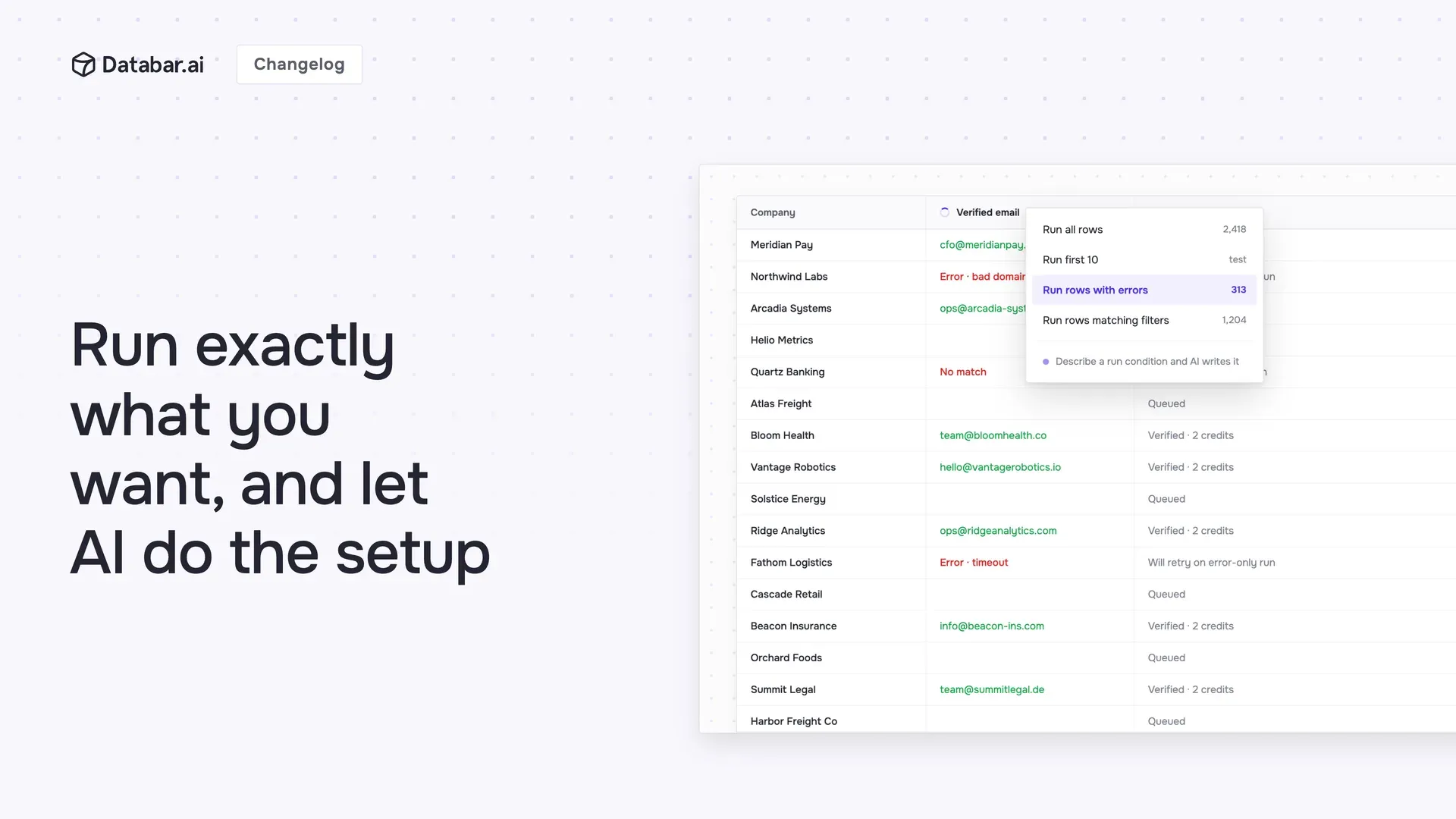
Enrichments got months of quality-of-life work. The theme: more control over what runs, more visibility while it runs, and less manual setup.
Run exactly the rows you want
The run button in every enrichment column header is now a menu: run all rows, just the first 10 or 100, only rows with errors, only the rows matching your current filters, or a custom subset you define. Test on ten rows before you commit to ten thousand.
Multiple run conditions per enrichment
Run conditions used to be one per enrichment. Now you can stack several, so an enrichment only fires for exactly the rows you mean: the right status, the right fields filled, the right segment. Precise targeting without workaround formulas. And you don't have to write them yourself: describe a condition in plain English and AI generates it for you.
A tight loop for cleaning up a big table
Filters are enrichment-aware: filter to just the rows where an enrichment errored, came back empty, or was missing inputs, then run only those. Fix the stragglers without touching the rows that already worked.
Watch it happen
You can now see exactly which columns are loading, with a spinner on the column header and a progress popover. Kicking off a long run? Tell Databar to email you when it's done.
Pause and control your automations
A new table-wide switch lets you pause all auto-running jobs in one click and resume them when you're ready, and you can configure run-on-update and run-on-schedule per table (hourly, daily, weekly, or your own cron). You can also paginate through large result sets.
Let AI do the setup
Describe a formula in plain English and AI writes it, in Excel style or CEL.
Filter with AI: describe who you're looking for and it builds the filter for you.
Let AI name your columns.
JSON, finally pleasant
It's much easier to understand your nested data now: browse it like folders, search inside it, and see exactly which column any value came from. Pull what you need into new or existing columns, and use nested fields directly as enrichment inputs. And when you need to extract something specific, describe it and AI writes the extraction for you, with a live preview so you can check it before it runs.
Faster to find, faster to fill
Favorite the enrichments you use most, browse the catalog with its new hierarchical categories, and fill parameters with grouped sections and static values that can reference your columns.
Send data out in exactly the shape your destination expects
Exporters now support a fully custom JSON body. Instead of being limited to one-to-one field mapping, you write the actual payload your CRM or endpoint expects and type { to drop any column in as a variable, with human-readable names in the editor. Nested objects, custom structures, whatever shape the destination wants: you control the request body directly.
Other updates
Enrichments now give you clearer, friendlier errors and hints (bad email or domain, "no match") so they're easier to get working.
The auto-run toggle now behaves exactly as set, and cancelling a run stops in-flight requests immediately.
About Databar
Databar replaces your go-to-market data stack with one platform. Search companies, people, and jobs, monitor the web for signals, and enrich it all with 160+ data sources and waterfalls. Wire everything into reusable automations that run on a schedule, on your tables and CRM data, or by an AI agent. App, API, MCP server, SDK, and CLI included on every plan.
Related articles
See all



