
The old extension lived in a popup. Click anything on the page and it closed, taking your field setup with it. Collecting more than three or four fields meant reopening it over and over.
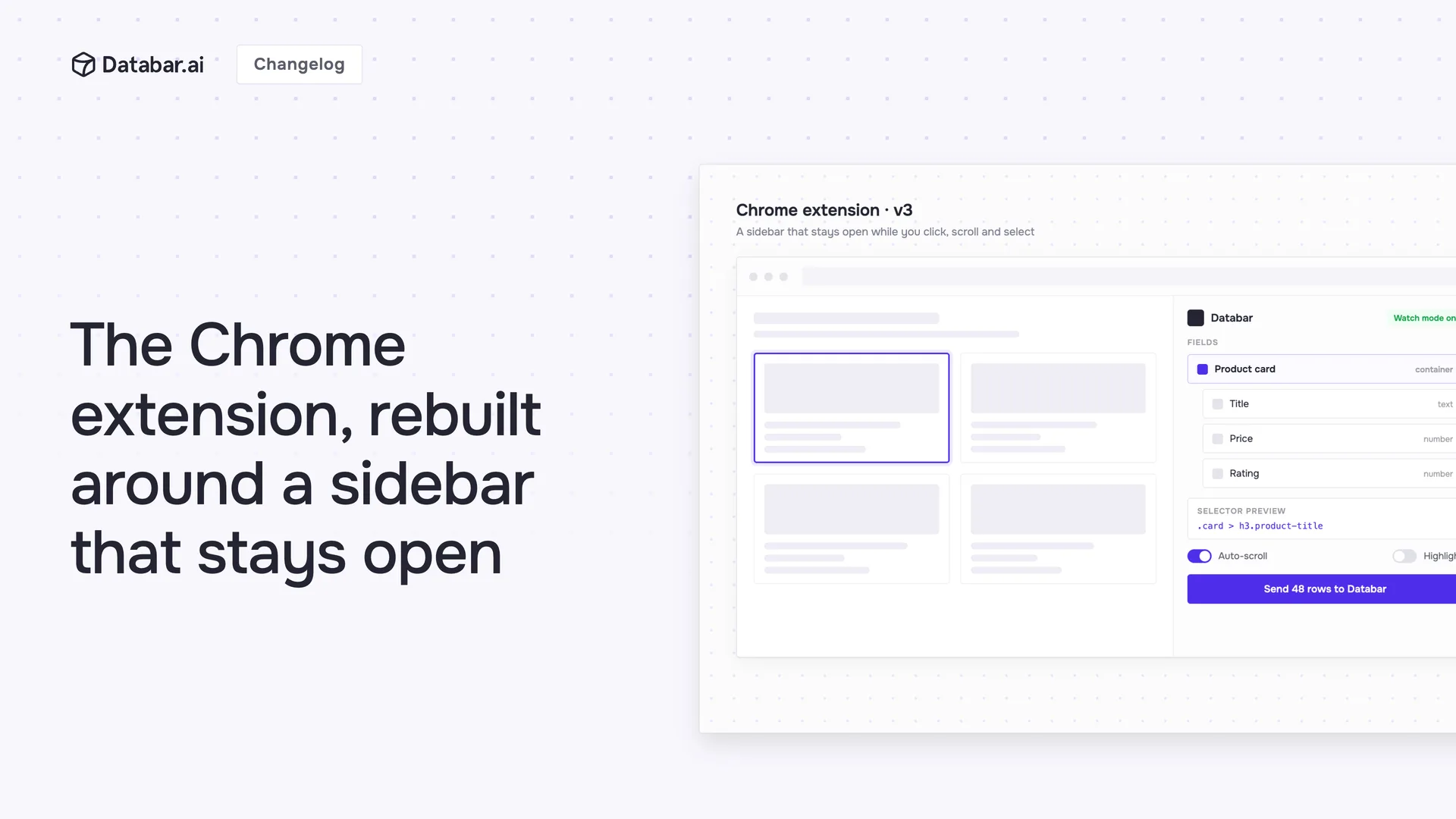
Version 3 replaces the popup with a sidebar that stays open while you browse. Your fields, your settings and the page itself are all visible at once, so building a scrape is one continuous job instead of a loop of reopening and re-selecting.
A sidebar instead of a popup
The panel sits beside the page and stays there while you click, scroll and select. That gives you room to read the page you are scraping, keep a long list of fields in view, and reach settings without leaving what you were doing.
What you can pull off a page
Sub-element extraction
Select a container, like a product card or a job listing, then click the Layers button. The extension shows every extractable piece inside it. Pick the ones you want, for example title, price and rating, and they are added as child fields grouped under the parent. One click on a card instead of five separate selections.
Watch mode
Some lists only load as you scroll, and some run across several pages. Turn on watch mode and the extension keeps capturing new elements as they appear in the tab, adding them to the right field on its own.
🆕 CSS selector preview
The preview box now shows the selector being used for the element you picked, so you can see exactly what is being captured before you run anything. There is a reset button next to it when a selection goes wrong.
Getting the data out
Authentication is gone as a setup step. The extension checks for an active Databar session and sends data to that workspace. API key authentication still works if you want to target a specific workspace from anywhere, and you set it once in the sidebar.
Exports name themselves too. A CSV now arrives as {Page Title} | {Site Name} | {Date}.csv rather than another file called "databar extension data".
Smaller and quicker
We removed a lot of code in the rebuild. The bundle is about 40% smaller, which makes the sidebar more responsive on heavy pages. Buttons carry tooltips that explain what they do, toggles like auto-scroll and watch mode show their current state, and selection mode has a cancel button so you no longer need to remember the escape key.
Since launch: v3.1
Import from Google Sheets
Open a Google Sheets page and the extension switches to an import view. Copy a range of cells with headers and they land in Databar through the clipboard. The scraper controls are hidden on Sheets pages, since there is nothing there to scrape.
Fixes that came with it
Preview results now closes the side panel when it opens the results page
CSV downloads take the name of the table or page, for example "Y Combinator companies - Feb 9, 2026.csv"
CSV files open correctly in Excel, with a UTF-8 BOM so it recognizes the format without the import wizard
Duplicate column headers no longer overwrite each other, so a second "Name" column becomes "Name (2)"
Link extraction, which broke in an earlier update, works again
Getting started
Click the Databar icon in your toolbar to open the sidebar
Go to any page with data you want
Click Add Field and select elements on the page
Use the Layers button to pull sub-elements out of a container
Export to CSV, or send the rows straight to your workspace
Install it from the Chrome Web Store, or read more about the Chrome extension.
About Databar
Databar replaces your go-to-market data stack with one platform. Search companies, people, and jobs, monitor the web for signals, and enrich it all with 160+ data sources and waterfalls. Wire everything into reusable automations that run on a schedule, on your tables and CRM data, or by an AI agent. App, API, MCP server, SDK, and CLI included on every plan.
Related articles
See all



